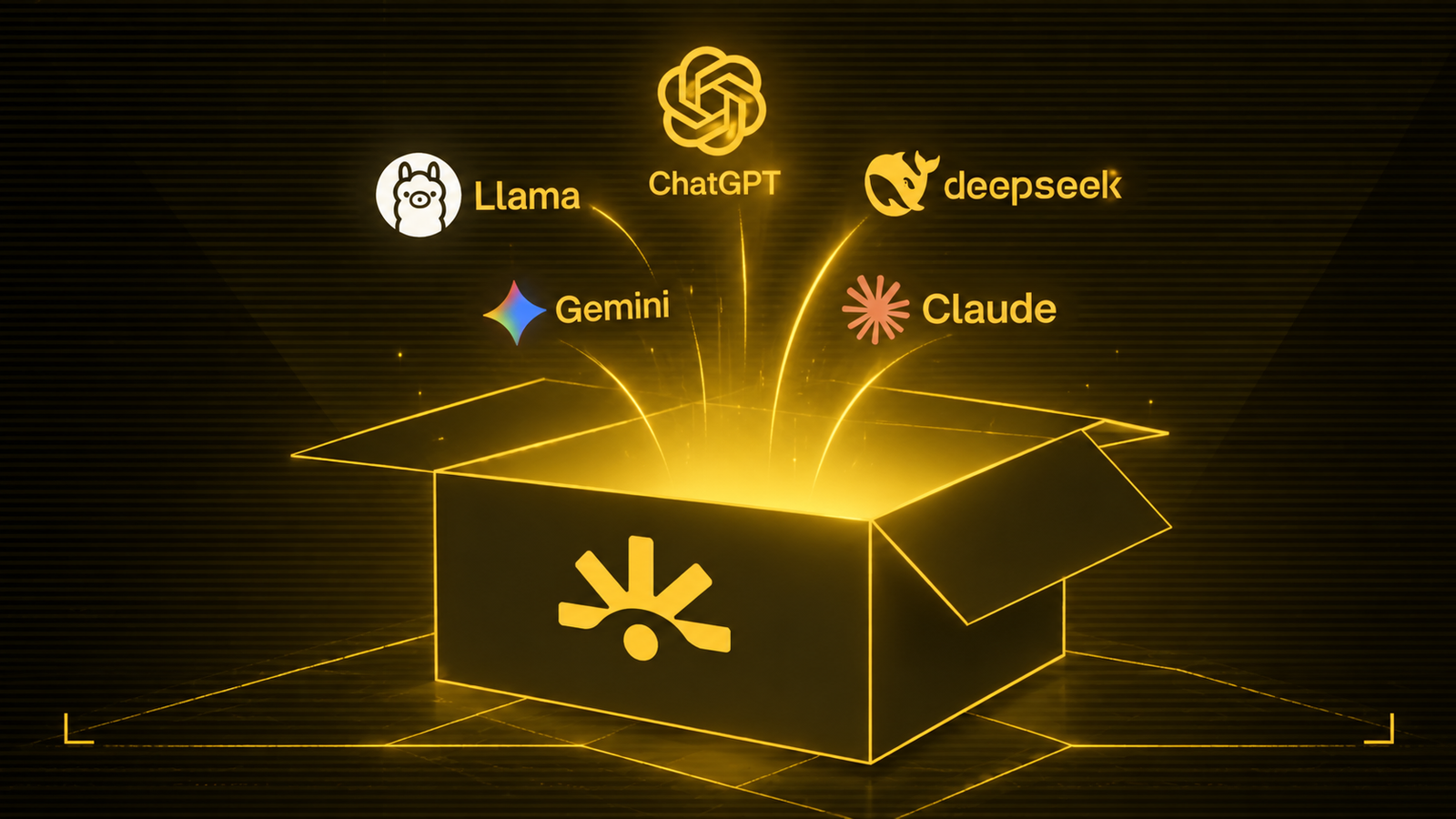
SayGM (SN28) has given users a closer look at the latest version of its dashboard, and the walkthrough shows that Subnet 28 is becoming more than a simple gateway to different AI models.
On October 5, the official SayGM account highlighted a number of features now available through the dashboard, including multi-model chat, image generation, API key guardrails, custom fusions and cascades, and spending information tracked down to the cent.
The walkthrough brings these features together in one place, giving a better picture of how SayGM wants users to interact with multiple AI models while keeping model access, privacy controls and spending under the same roof.
What is inside the new dashboard?
The easiest way to understand the update is to look at what users can actually do from the interface.
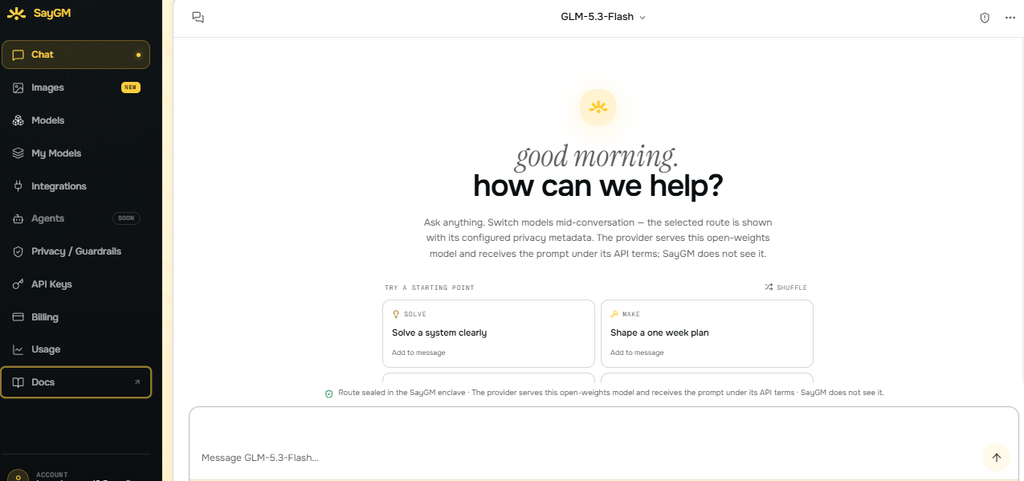
1. Chat across different AI models
The Chat section opens with GPT-5.4 nano and allows users to switch models from the conversation interface. The selector shown in the walkthrough includes Gemini Flash Lite options and a “Browse all models” option, while the interface also displays the sealed status of the route.
This fits into SayGM’s wider model-routing approach, which provides access to models from providers including OpenAI, Anthropic and Google through a common API layer.
2. Image generation is built into the same platform
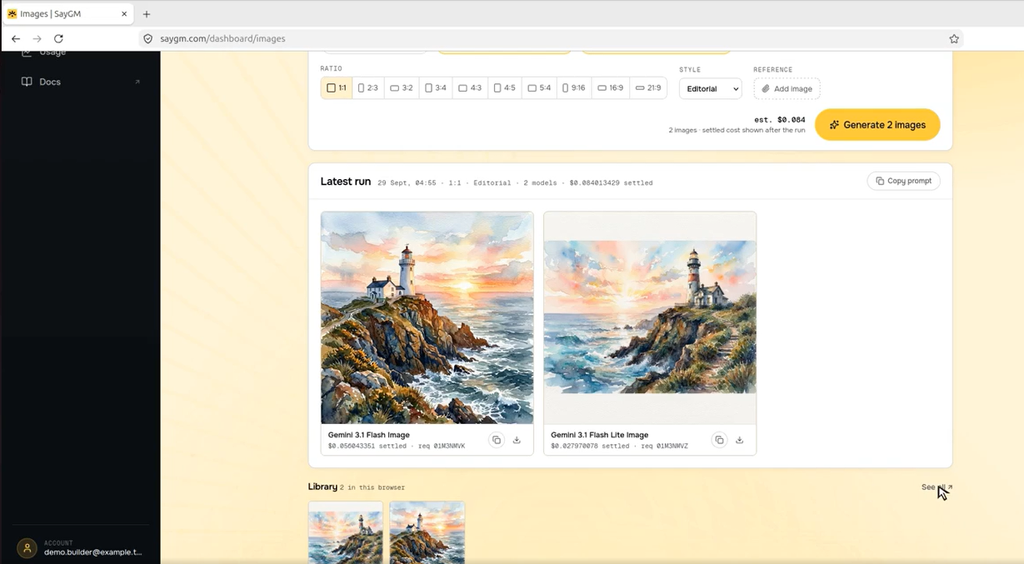
The Images section extends that model access beyond text. Users can enter a prompt, select an image model, adjust the aspect ratio and style, and see the cost of the generation.
The walkthrough shows models including Flux.2, Klein 4B and Gemini 3.1 image models. A lighthouse scene is used in the demonstration, which produces two images and stores the results in a local library.
3. API keys come with privacy controls
SayGM has also built its guardrails directly into the API key experience.
The dashboard shows scanners that can identify information such as email addresses, IP addresses and phone numbers, with redaction or blocking taking place inside the enclave before the request leaves the protected environment.
The API Keys section then gives users a place to manage those credentials, showing details such as available balance, creation date, last-used information and guardrail status.
4. Users can build their own model combinations
The My Models section is where the dashboard moves beyond simply choosing between existing models.
SayGM allows users to create fusions and cascades, with the walkthrough showing a fusion called “trio-council” that combines GPT-5.4, DeepSeek and GLM, alongside a budget-focused cascade.
These custom combinations can then be used as model IDs, while the supplied SayGM material states that users are billed according to the compute that actually runs.
5. Spending can be tracked by model
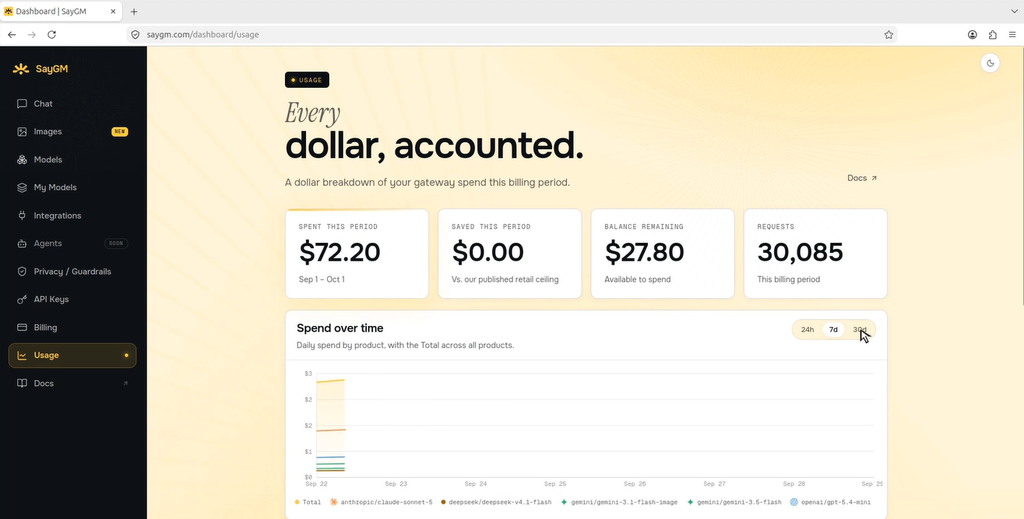
The Usage section ties everything together by showing where a user’s prepaid balance is going.
The dashboard breaks usage down by individual models, including Claude, GPT, Gemini and DeepSeek, while also showing total spending, remaining credit and the relationship between spending and the prepaid balance.
That becomes particularly useful when several models are being used through one account because users can see the cost associated with their different workloads instead of dealing with separate billing systems for each model.
Access and Next Steps
The account begins with a small prepaid credit and additional credit can be added by card, USDC, TAO or SN28 Alpha.
The official account also states that further features are still in development but the current dashboard already delivers the core capabilities listed in the announcement made on October 5.
Users can log in and inspect the live dashboard HERE.
Live Integrations
The features shown in SayGM’s dashboard are already being used across other products and services.
- Beam Studio (SN105) selected SayGM as a launch partner. AI prompts inside Beam Studio, from building workflows to investigating failed runs, are routed through SayGM.
- NEAR AI’s confidential models are available through SayGM’s confidential tier. Developers can access them with the same API key and dashboard while keeping requests inside hardware-verified environments on both sides.
Together, these integrations show that SayGM’s multi-model chat, guardrails, custom composites and usage tracking are already being used in deployed products, rather than sitting only inside the dashboard.
How This Fits the Broader SN28 Vision
SayGM positions itself as a drop-in gateway for OpenAI-, Anthropic- and Gemini-compatible clients, allowing users to access multiple models through a single routing layer.
Its confidential infrastructure uses hardware-attested enclaves to protect requests from the gateway operator and host environment, while its pricing model is driven by competition among miners and capped at or below the model provider’s list price.
The new dashboard builds on that foundation by giving users more control over how they use the models, with features for switching between models, creating custom fusions and cascades, managing privacy controls and tracking costs from the same interface.
See more on SN28’s private routing HERE.
Enjoyed this article? Join our newsletter
Get the latest TAO & Bittensor news straight to your inbox.
We respect your privacy. Unsubscribe anytime.
Enjoyed this article?
Join our newsletter
Get the latest TAO & Bittensor news straight to your inbox — every morning before markets open.
No comments yet — be the first.