

Owning powerful GPUs can be expensive when they sit idle without paying customers. Lium (SN51), a decentralized GPU marketplace, helps owners earn from their hardware.
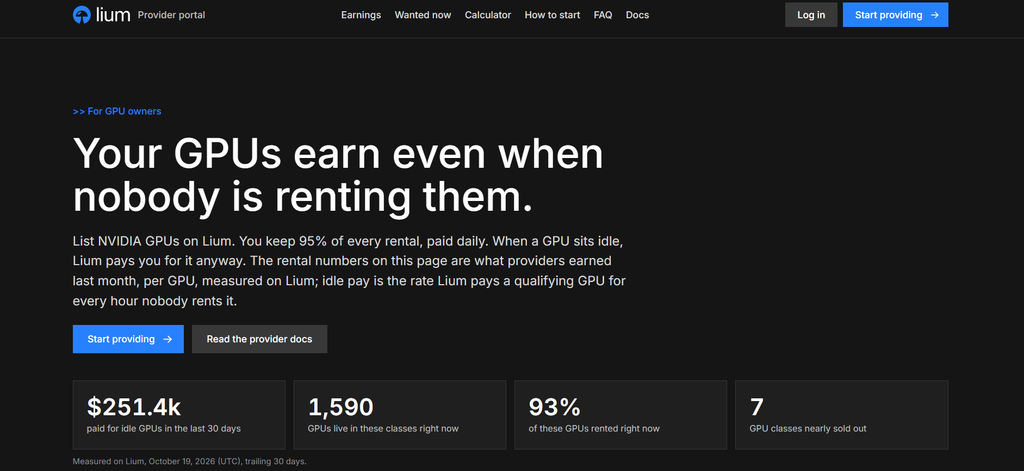
Providers keep 95% of rental fees and can receive rewards even without active rentals. In the past 30 days, Lium reportedly distributed $249,300 in idle GPU rewards.
Why GPU Owners Are Joining Lium
Lium offers GPU owners three ways to earn income from their hardware.
1. Rental Payments: Keep 95% of the fees customers pay to rent your GPUs.
2. Idle Rewards: Earn additional incentives when eligible GPUs are available but not rented.
3. Subnet Incentives: Receive Bittensor emissions linked to your rented GPUs.
Rental payments are calculated daily, while subnet incentives are distributed as alpha stake to registered hotkeys.
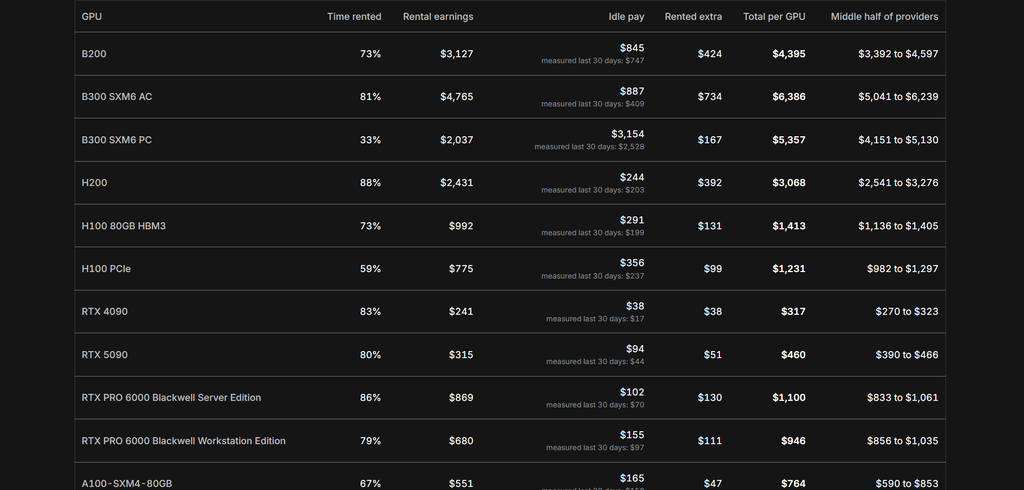
Providers can set their own rental prices, and some GPU models have reported utilization rates approaching 90% to 100%.
See How Much Your GPUs Could Earn
Lium’s Rewards Calculator helps GPU owners estimate their potential monthly earnings. Simply select your GPU model and enter how many cards you own.
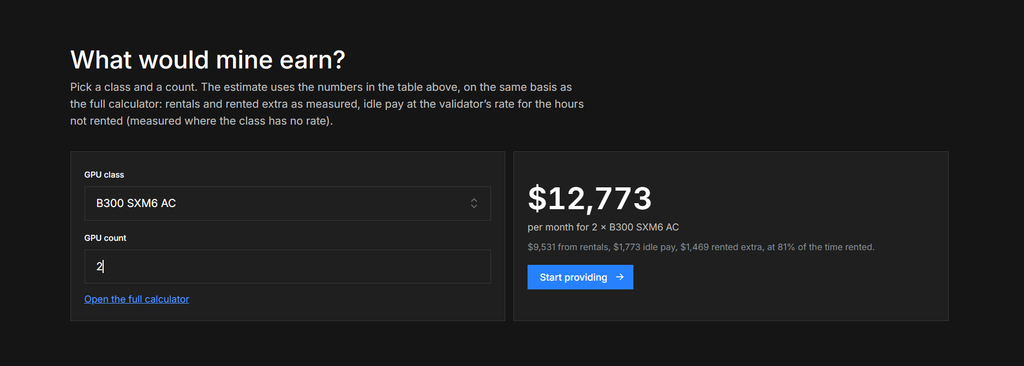
The calculator uses rental activity from the past 30 days and current idle reward rates. It also shows rental prices, GPU availability, and eligibility for additional incentives.
What You Need to Become a GPU Provider
Lium supports several NVIDIA GPUs, but providers must also meet certain technical requirements.
1. Data Center GPUs: H100, H200, B200, B300, A100, and L40S.
2. Workstation GPUs: RTX 6000 Ada and RTX PRO 6000 Blackwell.
3. Consumer GPUs: Selected NVIDIA RTX 30, 40, and 50 series cards.
Providers need a compatible Ubuntu system, Docker, Sysbox, a public IP address, and accessible network ports.
Idle rewards generally require at least 100 Mbps download speed and storage equal to 1.5 times the GPU memory. Eligibility also depends on hardware availability, rental pricing, and Lium’s allocation of idle reward slots.
Three Steps to Start Earning on Lium
Getting started involves registering your account, configuring your machine, and listing your GPUs.
1. Create an Account: Visit the Lium Provider Portal, sign in with your registered SN51 hotkey, and connect Discord for idle reward eligibility.
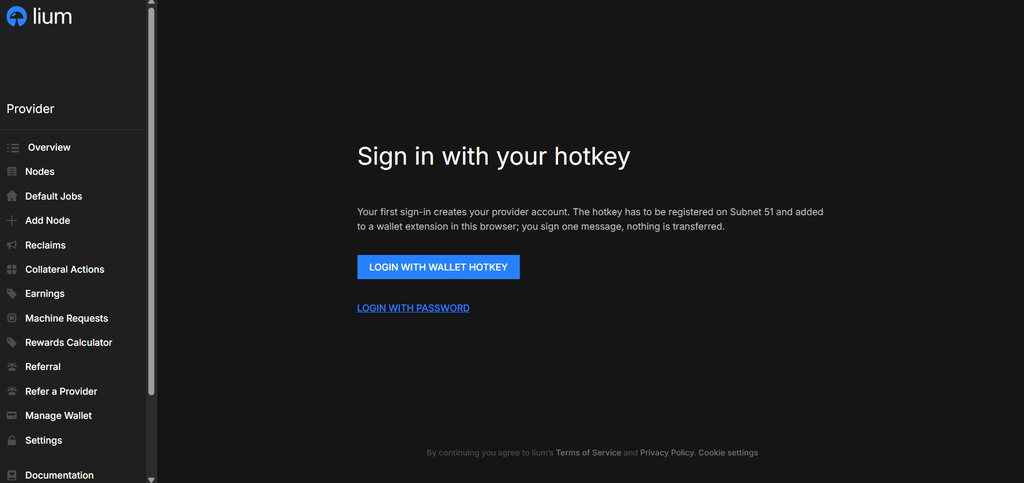
2. Set Up Your Machine: Install Ubuntu, Docker, and Sysbox, then configure your hardware using Lium’s installation script.
3. Add Your GPU: Select Add Node, enter your machine details and rental price, then submit it for verification.
Once verified and listed, eligible GPUs can receive applicable subnet incentives, while rental payments begin when customers use them.
Put Your Idle GPUs to Work
Lium gives GPU owners an opportunity to earn income from hardware that might otherwise sit unused. Its rental marketplace and subnet incentives provide multiple earning opportunities, even when customers are unavailable.
Actual earnings depend on demand, operating costs, hardware performance, and eligibility for additional rewards. Interested providers can explore the Rewards Calculator before registering their hardware through the Provider Portal.
Enjoyed this article? Join our newsletter
Get the latest TAO & Bittensor news straight to your inbox.
We respect your privacy. Unsubscribe anytime.
Enjoyed this article?
Join our newsletter
Get the latest TAO & Bittensor news straight to your inbox — every morning before markets open.



No comments yet — be the first.