When a subnet buys back its token, the blockchain records the purchase. The money behind it could come from customers, subnet emissions, or the team’s own capital.
SubConnect’s new Bittensor Revenue Index dashboard shows which transactions went into the reported figures and what the available evidence shows.
The dashboard builds on SubConnect’s first Revenue Index report, published in August using Taostats data and interviews with subnet teams.
It now tracks, in real time, buybacks and fees across the 128 subnets covered by the index, updates hourly, and links to individual transactions.
Network Tab
The homepage gives you a network-wide view and lets you trace changes back to individual subnets.
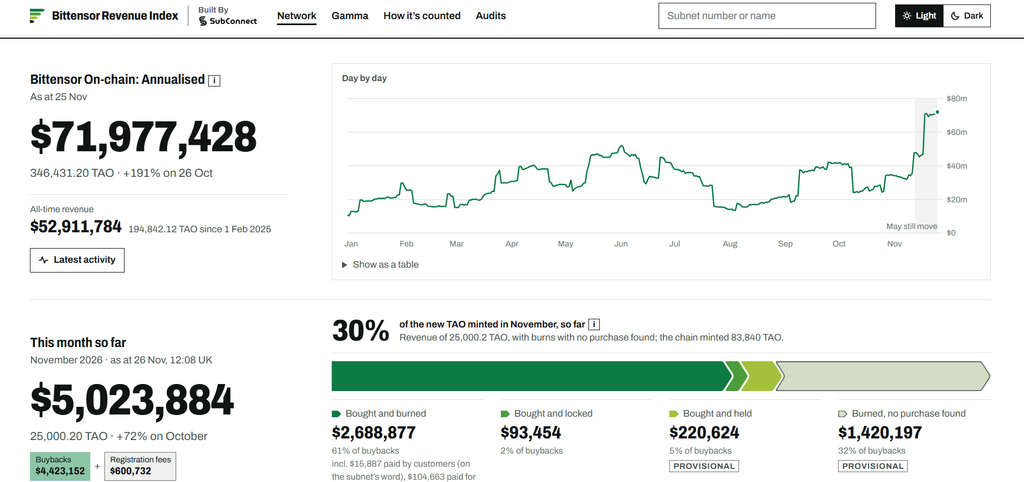
1. Revenue Run Rate: See the annualized figure in dollars and TAO, alongside cumulative tracked revenue since February 1, 2025. Switch between the chart and table to compare daily figures.
2. Monthly Activity: See how much came from buybacks and registration fees, how activity breaks down by evidence tier, and how tracked revenue compares with the value of newly issued TAO.
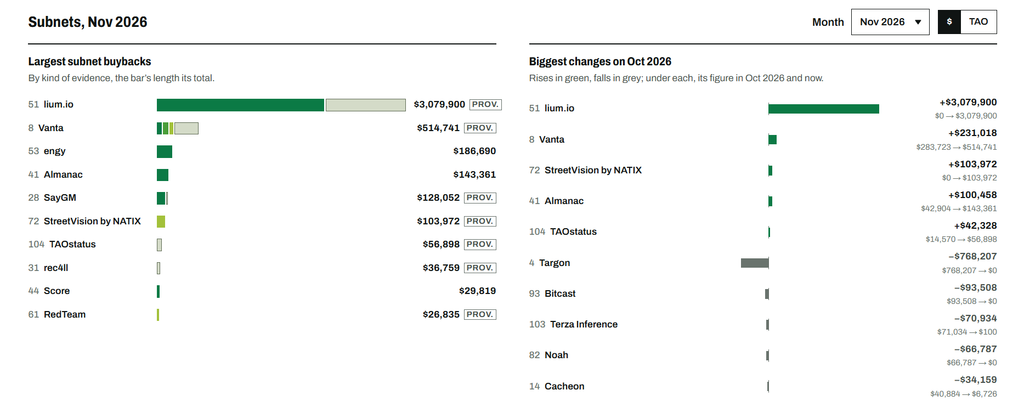
3. Money In and Out: Compare buybacks, fees, Gamma purchases, and chain buys with emissions and selling by miners, validators, and subnet owners.
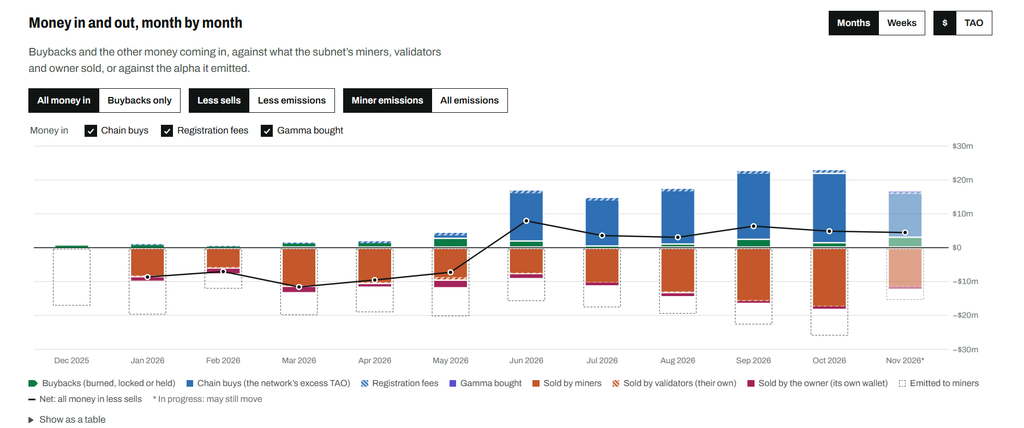
4. Subnet Rankings: Find the largest buybacks this month and the biggest changes from the previous month. The sortable Every subnet table links to individual subnet pages.
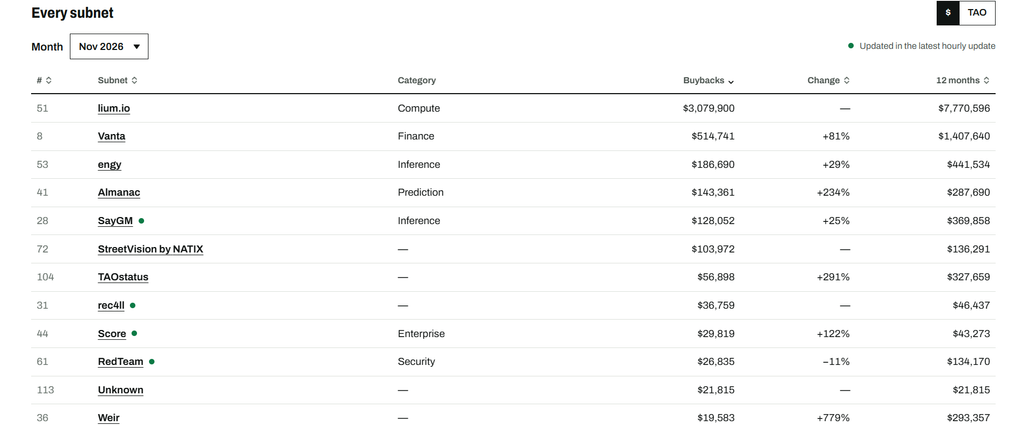
If a monthly total jumps, check the rankings to see which subnets drove the change, then open their pages to inspect the transactions on Taostats.
Gamma Tab
Gamma is prepaid credit for a subnet’s services. Each Gamma represents one dollar of service and is minted by burning that subnet’s alpha token.
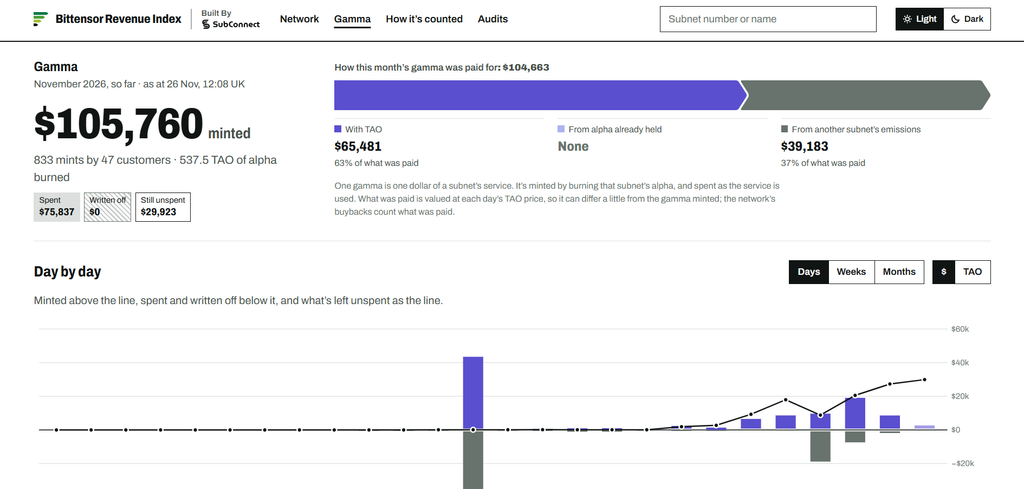
1. Credit Balances: See how much Gamma was minted, spent, written off, or remains unused, along with the number of mints and unique customers.
2. Funding Sources: Check whether Gamma was minted with newly paid TAO, alpha already held, or emissions from another subnet.
3. Activity Over Time: Switch between daily, weekly, and monthly views to follow how credit balances change.
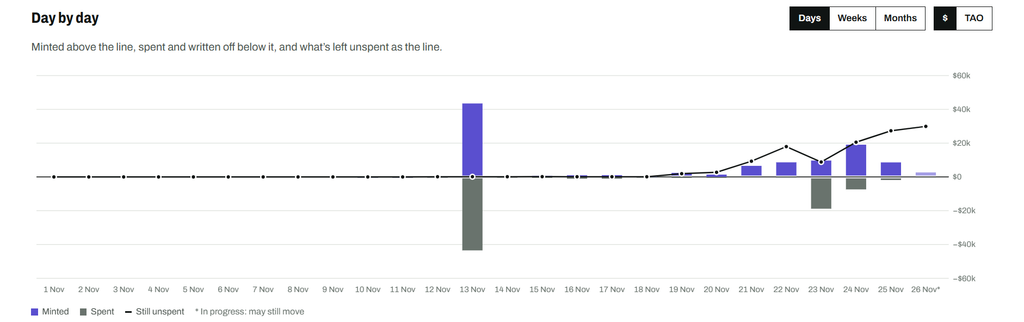
4. Subnet Breakdown: Compare minting and spending across subnets and see where one subnet’s emissions funded credits on another.
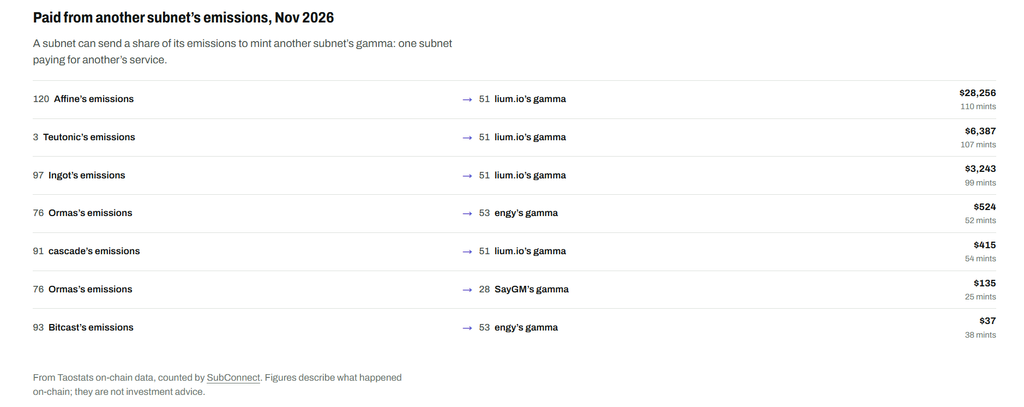
Use Gamma spent to see how much credit customers have used. The unspent balance shows how much prepaid credit remains available.
Methodology Tab
The methodology explains what goes into the revenue total, how SubConnect grades the evidence, and why recent figures can change.
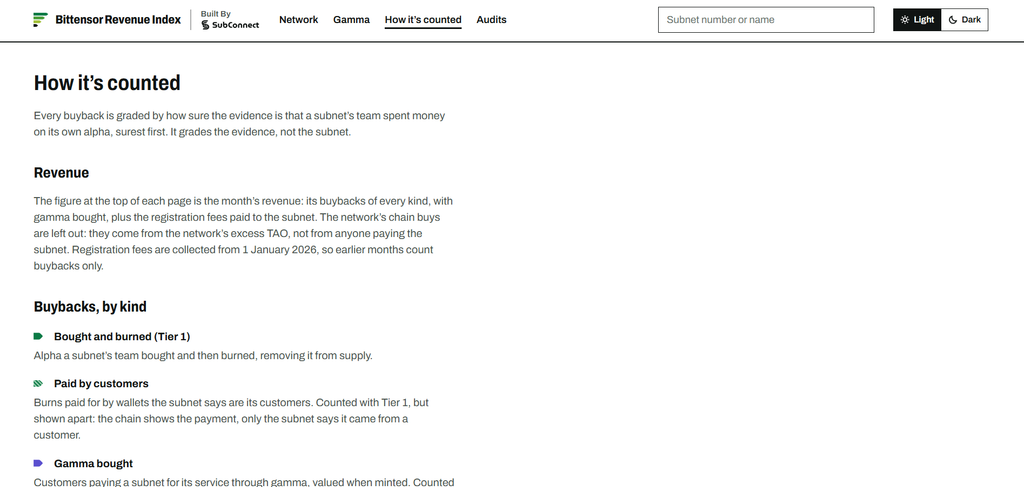
1. What Counts as Revenue: The index includes tracked buyback activity, Gamma purchases, and registration fees from January 1, 2026 onward. Network chain buys appear in the money-flow view and are excluded from the revenue total.
2. How the Run Rate Works: SubConnect adds up tracked revenue from the last 30 complete days and multiplies it by 12.
3. What the Tiers Mean: Tier 1 covers alpha bought and burned, Tier 2 covers alpha bought and locked, Tier 3 covers alpha bought and still held, and Tier 4 covers burns for which SubConnect found no matching purchase.
4. Why Recent Figures are Provisional: SubConnect uses a 14-day window to match purchases to burns or locks. It can also reclassify or exclude transactions after a manual review.
Check the tier before citing a recent buyback, especially if the transaction is still within the matching window.
Audits Tab
The planned audits will examine how customer payments connect to the activity recorded on-chain. That means checking the funding behind a buyback as well as the transactions themselves.
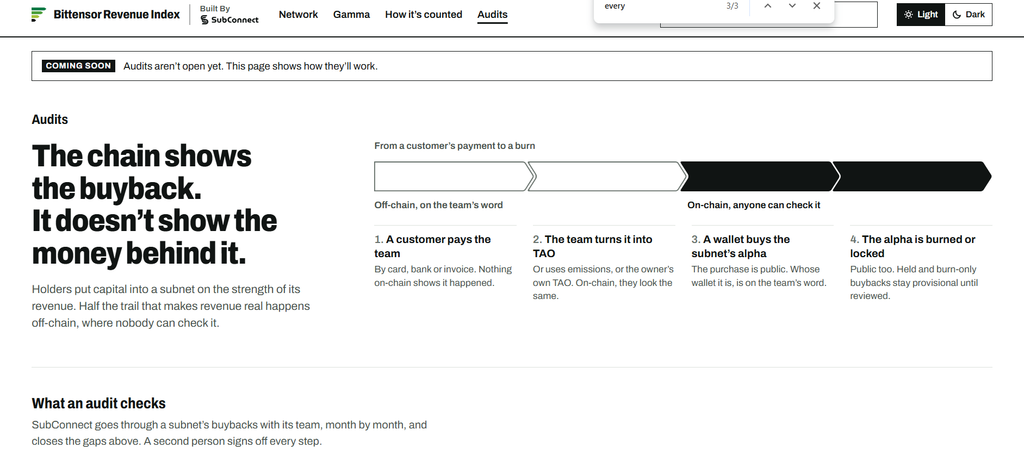
1. Customer Payments and Wallets: SubConnect plans to review off-chain payment records and confirm who controls the owner and buyback wallets.
2. Transaction Matching: Auditors will trace purchases to the corresponding burns or locks and review cases where tokens are still held or a burn has no matching purchase.
3. Published Evidence: Audited subnets will display a Verified badge linked to their audit records.
4. Participation: Subnet teams can register interest with SubConnect and will pay for their own audits.
Audits have yet to open. Until the first records are published, the evidence tiers and linked transactions show what SubConnect has been able to establish from on-chain activity.
How to Put It All Together
Start with the homepage to see what moved across Bittensor, then open the subnet pages to find the transactions behind the change. If you’re looking for service usage, the Gamma page shows how much prepaid credit customers have actually spent.
When citing a figure, name the metric and the period it covers. A 30-day revenue total, a monthly buyback ranking, and a Gamma spending figure each answer a different question. For recent activity, check whether the classification is still provisional.
➛ Access SubConnect’s Bittensor Revenue Index Here.
Enjoyed this article? Join our newsletter
Get the latest TAO & Bittensor news straight to your inbox.
We respect your privacy. Unsubscribe anytime.
Enjoyed this article?
Join our newsletter
Get the latest TAO & Bittensor news straight to your inbox — every morning before markets open.

No comments yet — be the first.