


Most AI tools want you to download another app, make another account and remember to open it.
Sundae skips all of that. It is a contact in your phone. You text it a task, it gets the job done on a computer of its own, and it texts you back.
Sundae is built by sundae_bar, the team behind Bittensor Subnet 121. The company is listed on London’s AIM market as Sundae Bar AI PLC (ticker SBAR).
What Sundae is
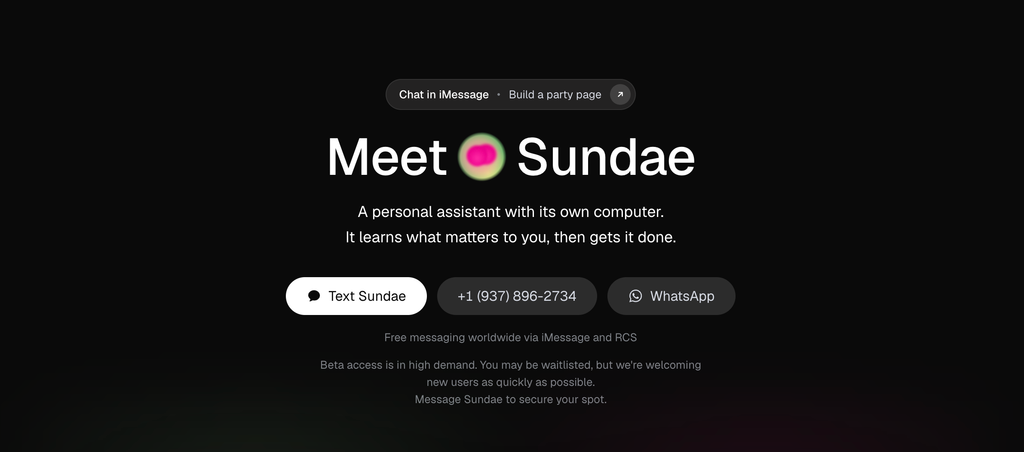
Think of Sundae as an assistant with its own laptop. It has a browser, files and a memory.
When you send it a message, a voice note or a photo, it opens that browser, does the work and replies with the result.
It often sends a screenshot so you can see exactly what it did.
Bigger jobs run in the background. You can put your phone down and Sundae will text you when it is finished. Longer results, like a comparison of deals, come back as files.
It also remembers. Your preferences, the people you mention and the things you are working on carry over from one conversation to the next.
You can ask Sundae what it knows about you, tell it to forget something, or switch learning off.
What you can use it for
The best way to use Sundae is to hand it a real task, not a question. Few of the instances:
Bookings. Ask it to find a table for four on Friday or compare flights at live prices. It does the searching and takes you to checkout, where you finish the payment yourself.
Comparing deals. Broadband, insurance or something you want to buy. Sundae compares the options and can send them back as a spreadsheet. Switching stays your decision.
Reading things for you. Send a photo of a parking fine, a letter, a product label or a handwritten list. Sundae explains it or acts on it.
Watching and reminding. Set a price watch or a morning stock check, and Sundae only texts you when something changes, such as a share crossing your limit.
Making things. It can build a simple event page and invitation from one message, or create images, short videos and music from a description.
Keeping track. Kids’ sports schedules, travel plans and to-do lists can all run in the background, with a text when something shifts.
sundae_bar CEO Jill Kenney has said she uses it for restaurant bookings, tracking shares and tokens, her children’s sports schedules and finding food in new cities.
Is it safe?
Sundae asks before it spends money, sends a message to someone else, posts, deletes anything or opens an account.
It never types your passwords or card details. When a task reaches a login or payment screen, Sundae stops and sends you a private link so you can complete that step yourself.
Each user gets a separate computer, browser, files and memory. A newer feature called Vault keeps sensitive details like logins, payment information and addresses encrypted on your device, where even the company cannot read them.
Sundae only gets temporary access when you approve it, for example with Face ID.
Sundae is still in beta and can make mistakes, so double-check anything important.
How to get started
Save +1 (937) 896-2734 as a contact on your phone and send a message saying hello. Sundae will introduce itself and explain what it can do.
There is no app to download and no account to create. It works over iMessage on iPhone, iPad and Mac, RCS on Android, and WhatsApp.
It is free to start, with no card needed. There is a daily usage limit that resets at midnight in your time zone, and Sundae warns you when you are getting close.
A paid Plus plan raises the limit (text “billing” to find out more). To stop a task at any time, just text “stop”.
Places in the beta are limited, so you may land on a waitlist. If you don’t get a reply, it is full for now. Demand has been strong. The first 100 places went quickly, and the user base passed 500 within weeks of launch, with more server capacity being added ahead of a broader paid rollout.
More at sundae.md.
How Bittensor made it happen
Sundae did not start as a consumer app. sundae_bar’s main business is an enterprise platform where companies describe a job to an agent called Scout, which then puts together specialised agents from a library of skills.
Those skills come from Subnet 121. Developers compete by submitting skill files, independent validators score them against published tests, and the best ones can move into production agents.
To grade those submissions properly, sundae_bar needed an environment where AI agents could use a computer, open a browser and finish multi-step tasks. It built one and used it to test nearly 7,000 submissions across dozens of challenges. That same system is what now powers Sundae.
So infrastructure built to judge competing AI agents on Bittensor has been turned into something anyone can text. It is one of the biggest examples yet of subnet work leaving the leaderboard and becoming a product people can use.
The bottom line
Sundae works the way people already get things done with each other. You send a text, a voice note or a photo, and the job gets handled. It is early, and how well it copes with tricky tasks at scale is still to be seen. But the idea is simple and it works today.
Save the number, say hello, and give it something you would rather not do yourself.
≫ For more on Sundae_Bar, see our earlier coverage below:
Enjoyed this article? Join our newsletter
Get the latest TAO & Bittensor news straight to your inbox.
We respect your privacy. Unsubscribe anytime.
Enjoyed this article?
Join our newsletter
Get the latest TAO & Bittensor news straight to your inbox — every morning before markets open.
No comments yet — be the first.