


Limit orders have been one of the most anticipated trading features in Bittensor, but traders have had limited access to a complete solution.
That is beginning to change as new trading technologies bring more advanced functionality to the ecosystem. One of the latest developments comes from TaoSwap, which has introduced desktop-native limit orders with support for both public and private orders.
The new feature allows users to set their preferred buying or selling price and the amount they wish to trade, with the option to keep their orders out of the public order book.
TaoSwap credited TAO.com for developing the underlying technology, which was first introduced through its mobile app and browser extension.
Why Limit Orders Matter for Bittensor Trading
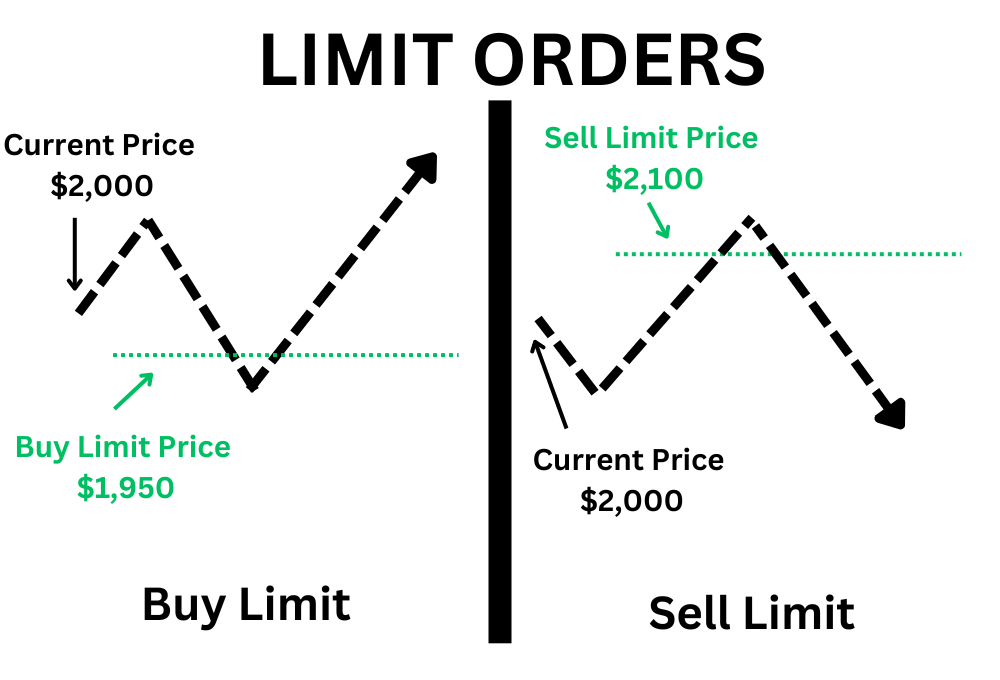
A limit order allows traders to buy or sell a token at a specified price or better without having to constantly monitor the market. For example, if a subnet alpha token currently trades at 0.05 TAO, a trader could place a buy order at 0.04 TAO and have it execute when the conditions for that price are met, provided sufficient liquidity is available.
This is particularly useful in Bittensor’s dynamic TAO (dTAO) markets, where subnet alpha prices can experience significant fluctuations. Limit orders give traders greater control over their entry and exit prices, reduce the need for constant price monitoring, and help them avoid making impulsive trades during periods of volatility.
The public and private order toggle adds another important layer of control. Public orders are visible in the order book, allowing other market participants to see buying and selling interest at different prices. Private orders remain hidden from the public order book, helping traders avoid revealing their intended trading levels or order sizes before execution.
This distinction is especially valuable for traders managing larger positions, as publicly displaying significant buy or sell orders can reveal their strategies and potentially influence the behaviour of other market participants. Private orders provide additional discretion, although completed blockchain transactions remain publicly visible.
How to Place a Limit Order on TaoSwap
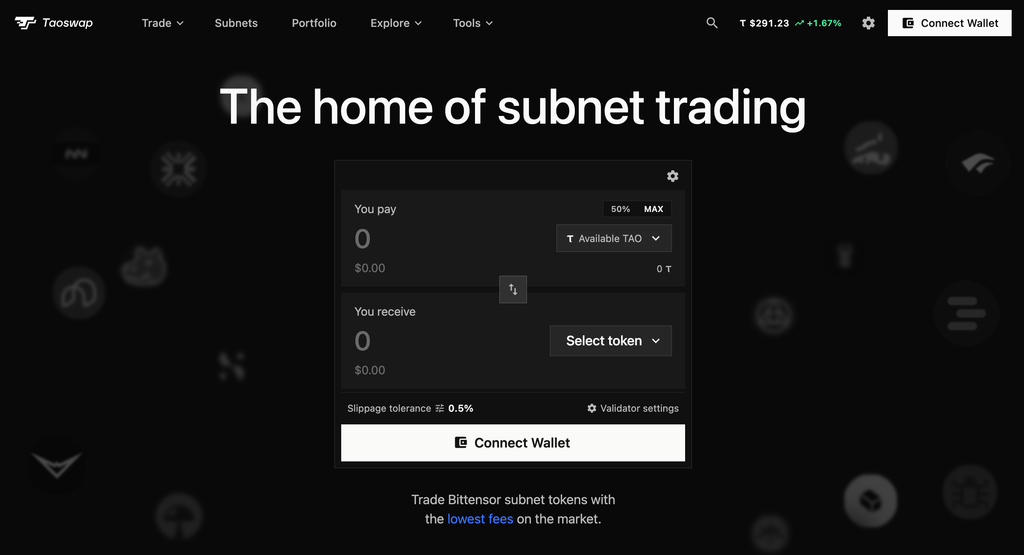
To get started, visit taoswap.org on your desktop and connect your Bittensor wallet. Navigate to the limit order interface, select the alpha token you want to trade, choose whether to buy or sell, and enter your preferred price and amount.
You can then choose whether to make the order public or private before reviewing and submitting it. The order can execute when market conditions meet your specified price, subject to available liquidity and the platform’s execution rules.
Watch the walkthrough below for a demonstration of how to place public and private limit orders on TaoSwap.
With limit orders becoming more accessible, subnet traders are gaining tools commonly available on established trading platforms. TaoSwap’s implementation, particularly its public and private order options, represents another step toward a more flexible and sophisticated trading experience for dTAO participants.
Enjoyed this article? Join our newsletter
Get the latest TAO & Bittensor news straight to your inbox.
We respect your privacy. Unsubscribe anytime.
Enjoyed this article?
Join our newsletter
Get the latest TAO & Bittensor news straight to your inbox — every morning before markets open.



No comments yet — be the first.