

Bittensor is turning idle computing hardware into a marketplace, and Nodexo (SN106) is building around GPUs, one of its most valuable resources. The subnet allows operators with supported NVIDIA GPUs to provide verified compute that users can rent for AI training, inference, and other workloads.
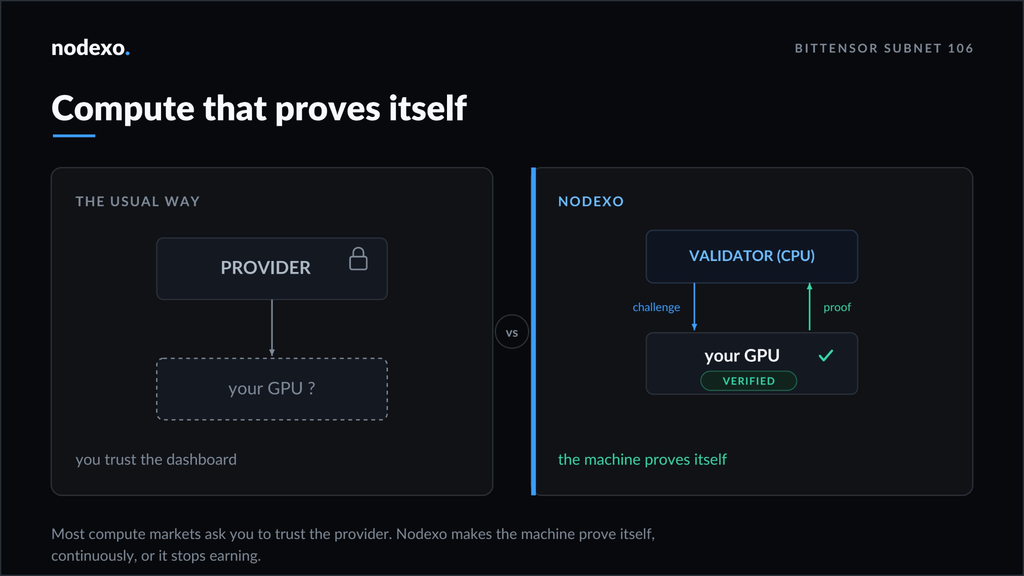
Miners can earn from GPU rentals while also receiving subnet rewards for providing reliable and verified capacity. The setup is designed to prove what hardware operators have, Nodexo continuously checks that, and not just rely on information supplied by the operator.
What Is Nodexo (SN106)?
Nodexo (SN106) is a decentralized GPU rental network where miners provide NVIDIA GPUs that users can rent for computing workloads. Idle machines can also support managed training jobs, helping operators keep their hardware productive.
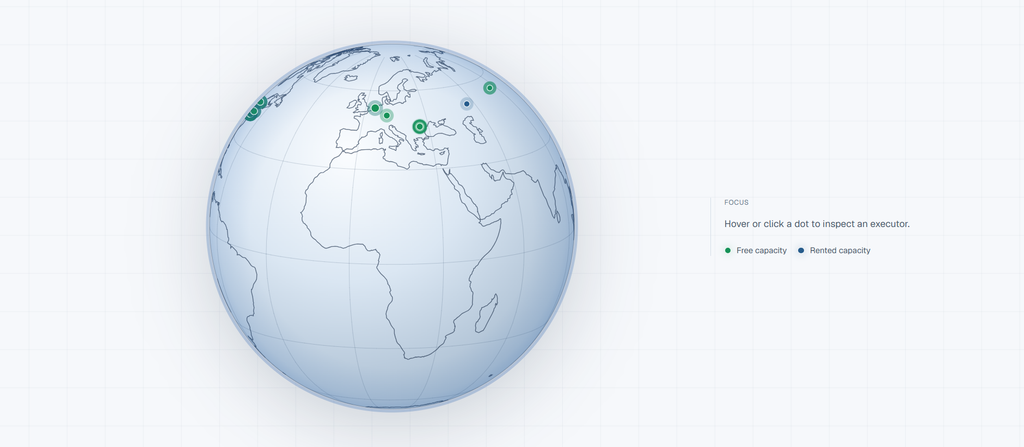
Operators earn from GPU rentals and subnet rewards for providing verified, reliable compute.
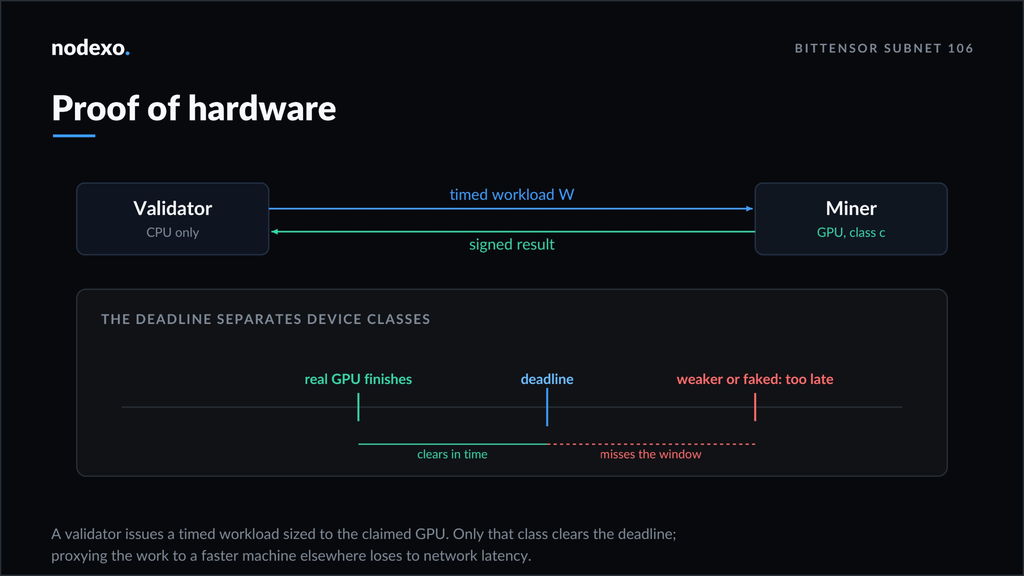
The system places particular emphasis on hardware verification. Your machine must prove that it has the required GPU and that the hardware remains available and functional.
What You Need To Mine
Before starting, make sure your machine meets Nodexo’s requirements:
1. A supported NVIDIA GPU.
2. A Linux server, preferably Ubuntu or Debian.
3. Working NVIDIA drivers verified with nvidia-smi.
4. A reliable internet connection.
5. Port 8091 open for the main API.
6. Ports 20000–20100 open for rental sessions.
7. A Bittensor cold key and hot key.
8. Enough TAO for subnet registration.
9. Sufficient alpha stake for your machine.
The supported GPU list should be checked before purchasing or configuring hardware, as Nodexo stops unsupported cards during setup.
Your server must also be reachable from outside your network. A machine hidden behind a home router without the required port access cannot accept validator checks or rental connections.
How Nodexo Mining Works
The process starts by installing the Nodexo software and registering your GPU. Nodexo then checks the machine and continuously verifies the hardware through its proof system. Once the machine passes verification, it can become available for rentals.
When a user rents the GPU, they can connect to the machine and run their workload. The operator earns from the rental while continuing to provide verified capacity to the subnet. Your machine also needs to maintain the required alpha stake. If the stake drops below the required level, scoring stops after a short grace period.
How to Start Mining Nodexo
Mining Nodexo requires a supported GPU, a properly configured server, and a Bittensor wallet. Here is how to set up your machine, register on the subnet, and start providing compute.
1. Prepare the Server: Install NVIDIA drivers and confirm the GPU with nvidia-smi. Open the required ports and make sure the card is supported.
2. Create a Bittensor Wallet: Set up your cold and hot keys and secure the recovery phrase. The hot key will run the mining operation.
3. Register on Nodexo: Register the hot key on SN106. Registration requires TAO, with the cost changing according to network demand.
4. Install the Software: Run Nodexo’s official installer. It handles the required software, Docker, and proof tools, but NVIDIA drivers must already be installed.
5. Configure the Miner: The setup process detects the GPU, checks compatibility, and prepares the machine. Configure your wallet, hot key, network, and public endpoint before launching.
6. Make the Machine Reachable: Validators and renters must be able to reach your server from the internet. Nodexo provides a helper for configuring the public endpoint.
7. Verify the Miner: Link the hot key through the operator dashboard, complete the ownership challenge, and confirm that the machine appears in your fleet.
Once the health checks pass, the GPU is ready to participate in the network and accept rentals.
Start on Testnet
Nodexo (SN106) recommends testing the setup before moving real funds onto the mainnet. The testnet uses netuid 468 and provides a way to verify your server, GPU, endpoint, wallet, and miner configuration without paying mainnet registration costs.
Once everything works correctly, you can move to mainnet on netuid 106 and begin participating in the real rental marketplace.
Keep Your SN106 Miner Running
Nodexo mining relies on three requirements: supported hardware, reliable connectivity, and verified capacity. Keep the required ports open, maintain the minimum alpha stake, and use only Nodexo’s official software and documentation.
For GPU owners, Nodexo offers a way to put underused hardware to work instead of leaving expensive compute capacity idle. The process involves preparing the server, registering the miner, proving the GPU, and making it available to the network.
Enjoyed this article? Join our newsletter
Get the latest TAO & Bittensor news straight to your inbox.
We respect your privacy. Unsubscribe anytime.
Enjoyed this article?
Join our newsletter
Get the latest TAO & Bittensor news straight to your inbox — every morning before markets open.

No comments yet — be the first.