


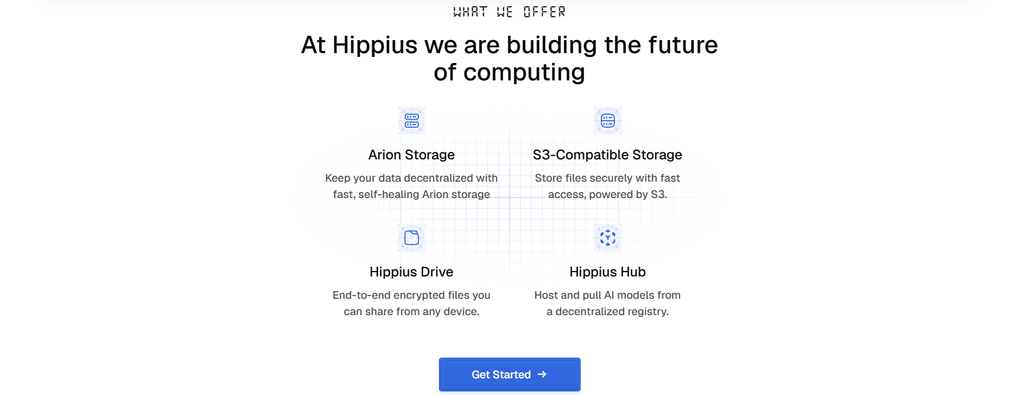
Hippius (SN75), a decentralized cloud storage platform, has introduced a built-in screen recorder that allows users to capture, encrypt, and share screenshots and videos directly through Hippius Drive.
Available on the web and desktop applications for Mac, Windows, and Linux, the feature supports up to 4K resolution with microphone and system audio.
Recordings are encrypted on the user’s device before upload, ensuring Hippius cannot access their contents. This provides additional privacy when sharing tutorials, presentations, or sensitive workplace information.
What Can Users Record?
The recorder allows users to capture their entire screen, a specific window, or a selected area, with options to include microphone and system audio. Users can also add an adjustable camera overlay or record camera-only video messages.
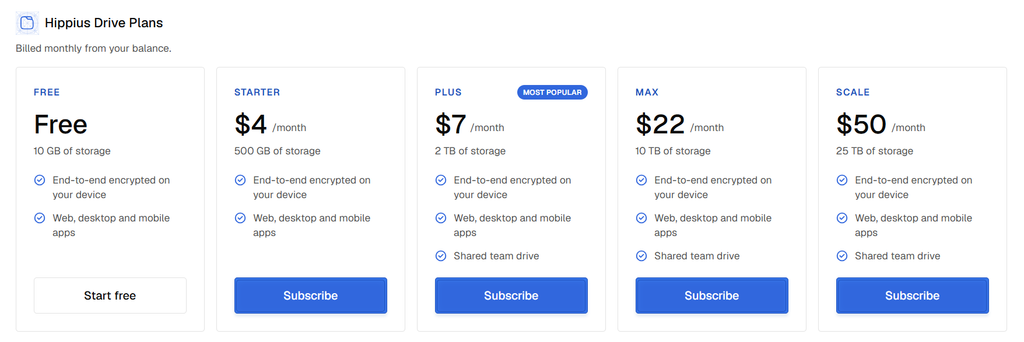
Supporting up to 4K resolution, the feature is suitable for tutorials, software demonstrations, and detailed technical walkthroughs.
Recordings can be started directly from the Hippius web console without installing additional software, while the desktop app offers keyboard shortcuts and system menu controls.
How Recording and Sharing Work
Hippius combines screen recording and file sharing into a single workflow. Users can start recording after a short countdown, with options to pause, resume, restart, or discard their captures.
Once finished, recordings are automatically encrypted and saved to the Captures folder in Hippius Drive, while a shareable link is copied to the clipboard. Recipients can access recordings without a Hippius account, and users can set expiration dates, add password protection, or revoke access at any time.
The feature also integrates with Hippius Shared Drives, allowing teams to manage recordings alongside other files.
How Does Hippius Compare With Loom?
Both Hippius and Loom, a non-Web3 alternative, allow users to record and share screen videos, but they differ in their approach to privacy, storage, and recording limits.
| Feature | Hippius Drive | Loom |
| Screen recording | Full screen, window, or selected area | Full screen, window, or selected area |
| Encryption | Zero-knowledge encryption applied before upload | Encryption in transit and at rest |
| Storage | Decentralized storage through Hippius Drive | Centralized cloud storage |
| Recording quality | Up to 4K | Up to 4K on supported paid plans |
| Free plan limits | 5 minutes per video, maximum 25 videos | 5 minutes per video, 25 videos |
| Paid plan limits | No recording length or quantity limits beyond storage | Limits depend on plan and available storage |
| Sharing controls | Passwords, expiration dates, and link revocation | Video privacy settings, access controls, and link sharing |
The key difference lies in privacy and storage. Hippius encrypts recordings locally before uploading them to decentralized storage, giving users greater control over sensitive content compared to Loom’s conventional cloud-based approach.
How to Record Your Screen With Hippius
Users can record and share their screens directly through Hippius Drive by following these six simple steps.
1. Open Hippius Drive: Visit Hippius or launch the desktop application on macOS, Windows, or Linux.
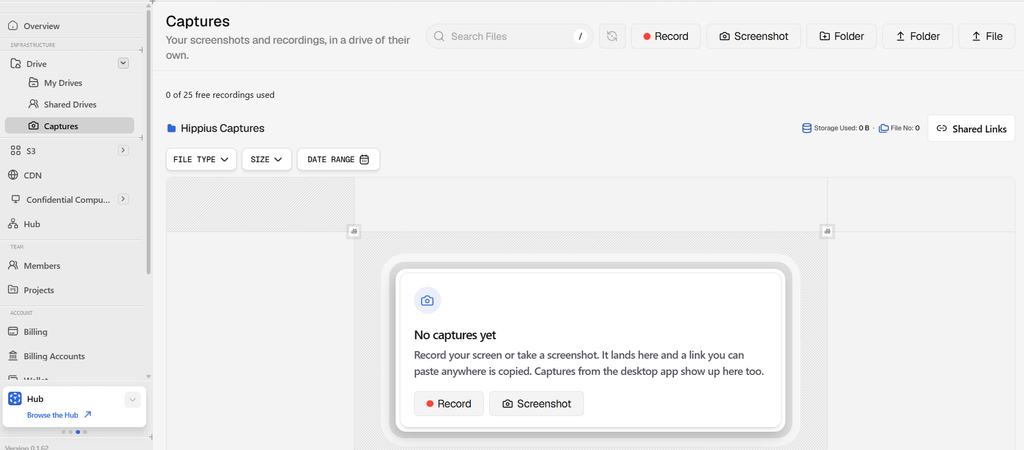
2. Start a capture: Select the recording option in the web console or use the desktop application’s controls or keyboard shortcut.
3. Choose your settings: Select the full screen, a window, or a specific area. Enable microphone or system audio and optionally add a camera overlay.

Fine-Tune Record To Choice
4. Begin recording: Start after the countdown. Pause, resume, or restart whenever necessary.
5. Save and share: Stop recording to automatically save the encrypted file to your Captures folder and copy its shareable link.
6. Manage access: Set an expiration date, add password protection, or revoke access through Shared Links.
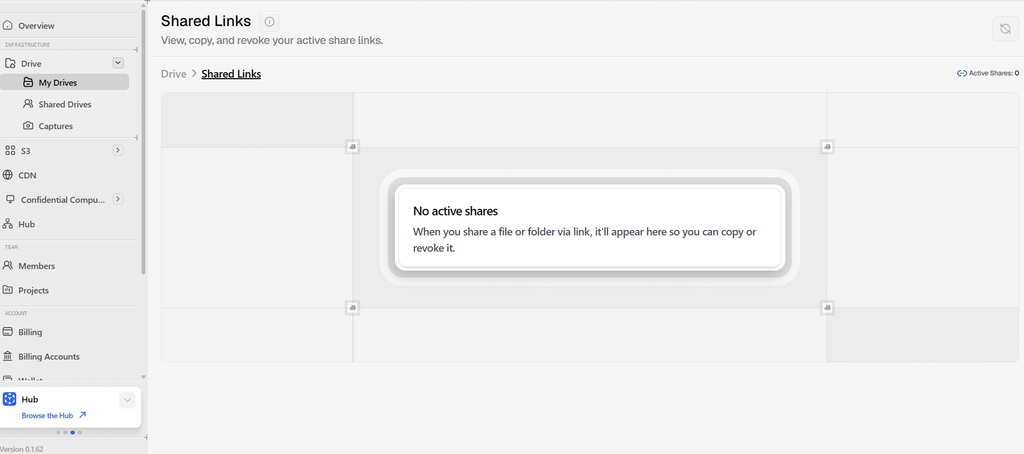
Once shared, recordings remain accessible through their links, with users retaining control over who can view them and for how long.
Expanding Hippius Drive Beyond File Storage
The introduction of screen recording adds another productivity tool to Hippius Drive, allowing users to create and share visual content without relying on a separate recording platform.
For individuals, it offers a convenient way to produce tutorials, demonstrations, and video messages. For businesses, the combination of local encryption and controlled sharing could be particularly useful when recordings contain confidential information.
The feature is now available through the Hippius web console and desktop applications.
➛ Explore Hippius’ Screen Record Here.
Enjoyed this article? Join our newsletter
Get the latest TAO & Bittensor news straight to your inbox.
We respect your privacy. Unsubscribe anytime.
Enjoyed this article?
Join our newsletter
Get the latest TAO & Bittensor news straight to your inbox — every morning before markets open.



No comments yet — be the first.