
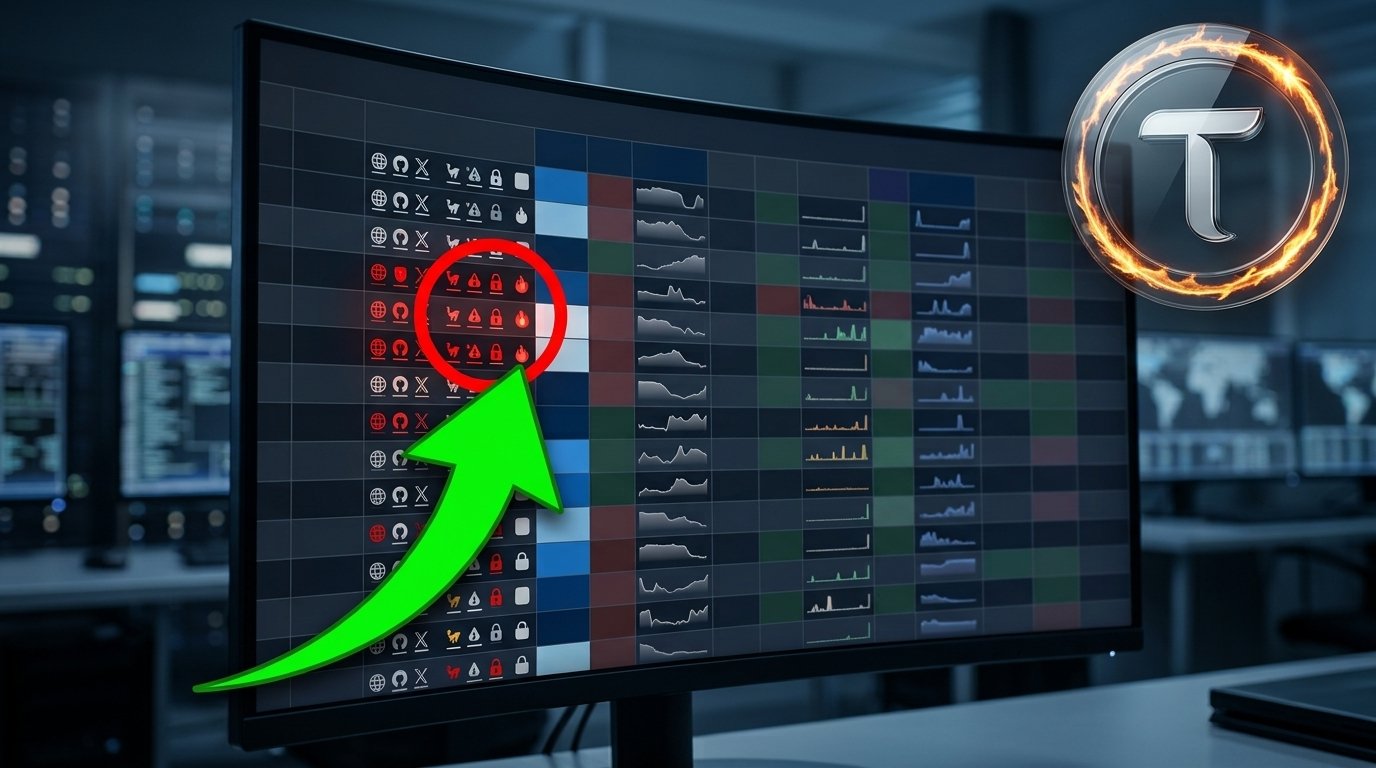
In this video, TAO Templar walks through the free overview page of TAOFlute, the dashboard he built for himself to stop wasting hours researching subnets manually.
If you’ve ever wondered how to size up a Bittensor subnet in under 10 seconds, this is the tool for it, and this is the walkthrough.
The philosophy behind TAOFlute
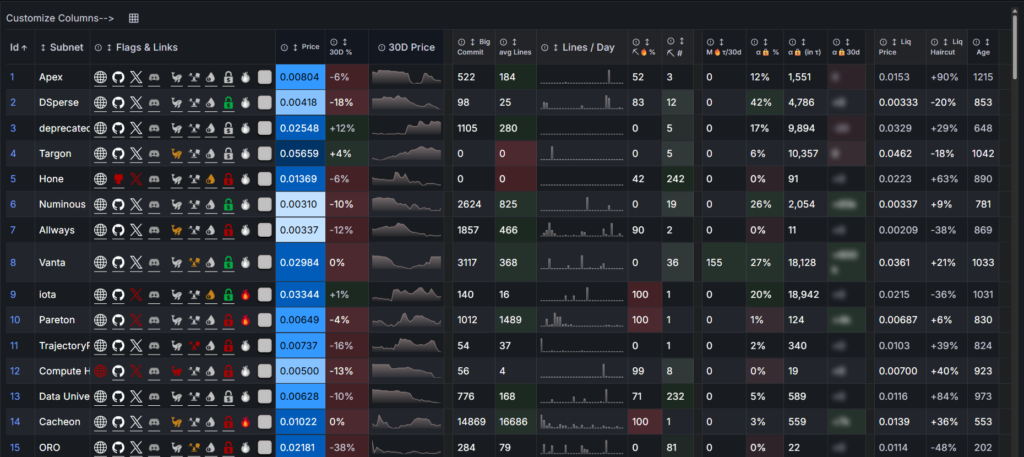
Travis built it because he was tired of digging through five different sources to answer basic questions about a subnet. His two guiding principles:
- Hover over anything to get more info than what’s visible on screen.
- Click on anything to jump to the source data: repos, X accounts, Discord channels, extrinsics, wallets.
Everything below is on the free overview page. The premium tier goes deeper, but the free version alone catches most of the red flags investors miss.
The core flags: read left to right
Website / GitHub / X / Discord icons. Simple presence checks. Missing = red. GitHub icon also shows average code lines per day in the last 30 days on hover, so you can see if the team is shipping.
Whale flag. Shows the largest holder and what percentage the price could crash if they dumped. Crucially, it accounts for locked alpha, so if a subnet owner has convicted a big portion of their supply, the whale risk drops accordingly. Vanta is a live example: their whale flag went from red to green after they locked 600K alpha.
Incentive centralization flag
- Yellow = one miner receiving over 50% of miner emissions. Not automatically bad, could be a legitimate winner-take-all design — but worth asking about.
- Red = one miner receiving 100% of emissions. This is the flag that catches corrupted subnets where the owner is routing all miner emissions to a key they control.
APY leakage flag. Whether the subnet has commit-reveal enabled. Without it, weight copiers can dilute staker APY. Not catastrophic, but a signal that the team hasn’t tightened up basic mechanics.
Locked alpha flag. This is the newest and, in Travis’s view, one of the most important. Red if less than 5% of alpha outside pools is locked. His rule: “Every subnet that has ever dumped so far, every rug, had 0% of their alpha locked.” He doesn’t invest in subnets where the owner refuses to lock.
100% miner burn flag. Turns on when the subnet is producing nothing; no miners getting paid, subnet effectively off. Sometimes legitimate (patching an exploit), sometimes not.
Deregistration flag. Ranks subnets by how close they are to being deregistered. Blue = still in immunity period. Orange = immunity running out AND price is low. The number tells you exact position in the deregistration queue.
The activity columns
Beyond the flags, TAOFlute surfaces activity data most dashboards bury:
- Biggest commit in last two weeks — click to read the actual code.
- 30-day GitHub commit graph — see when the team ships.
- Team Discord activity graph — the pulse of team-owner engagement.
- Days since last X post — plus a click-through to read it.
- Manual burns in last 30 days — measured in TAO. This is where you separate real revenue subnets from emission-dependent ones.
The subnet owner wallet monitoring
This might be the most underrated section of the whole dashboard. Three columns tracking the subnet owner’s wallet over 30 days:
- Alpha transfers in/out
- TAO transfers in/out
- Alpha staking/unstaking (negative = unstaking)
A companion graph shows the timing of every movement. What this gives you:
- Rug pattern detection — regular alpha transfers out without corresponding activity is a red flag.
- Revenue pattern detection — Liam is Travis’s favorite example: TAO transfers into the subnet owner wallet, followed by manual buyback and burns. That’s what a real revenue flywheel looks like on-chain.
- Cost coverage patterns — some subnets consistently transfer out small amounts to cover operating costs, which is normal and healthy.
The 10-second subnet read
The best demonstration in the video is Travis running through Liam in real time. In under 10 seconds he tells you:
- Working website, active GitHub, active X, active Discord
- No whale risk
- 69% miner emissions to one key (something to ask about, but not disqualifying)
- Commit-reveal enabled — clean APY
- Large amount locked (green lock)
- No 100% miner burn — subnet is producing
- Nowhere near deregistration
- 180 TAO alpha moved out of owner wallet, 1.4K TAO deposited (likely for buybacks), 166 TAO worth of alpha staked
- Subnet is almost 2 years old with a healthy liquidation haircut
That’s the whole point of the tool; pattern recognition in seconds instead of hours.
The news dashboard
Click any burn number and you jump into the TAOFlute News dashboard, also free. You can filter by:
- Registrations and deregistrations
- Subnet owner wallet activity (staking, transferring, alpha movements)
- Website / GitHub / repo changes
- Subnet name and identity changes on-chain
- Manual burns
Save the URL with your preferred filters and you have a personal Bittensor news feed refreshed daily.
Bottom line
TAOFlute exists because the raw chain data on Bittensor is powerful but scattered. Travis built the dashboard he wished existed when he was researching subnets manually, a single overview that surfaces the red flags and the health signals in one glance.
The free version already covers most of what investors need to avoid obvious mistakes. For anyone actively investing in alpha, this is one of those tools that you should pay attention to
Full walkthrough here:
Read more about Bittensor analysis:
Enjoyed this article? Join our newsletter
Get the latest TAO & Bittensor news straight to your inbox.
We respect your privacy. Unsubscribe anytime.
Enjoyed this article?
Join our newsletter
Get the latest TAO & Bittensor news straight to your inbox — every morning before markets open.



No comments yet — be the first.