

A password manager that unlocks with your face removes the need to remember a master password. It also raises practical questions. What happens if your phone is stolen, every enrolled browser is lost, or you can no longer pass face verification?
BioVault, developed by Yanez (SN54), uses the YID app to approve access through a fresh face check. Here’s how vault protection and recovery work, alongside a biometric limitation that remains unresolved.
How BioVault Protects Your Vault
BioVault encrypts titles, usernames, passwords, and notes inside the browser before uploading them. It uses AES-256-GCM encryption and a randomly generated vault key protected by two layers:
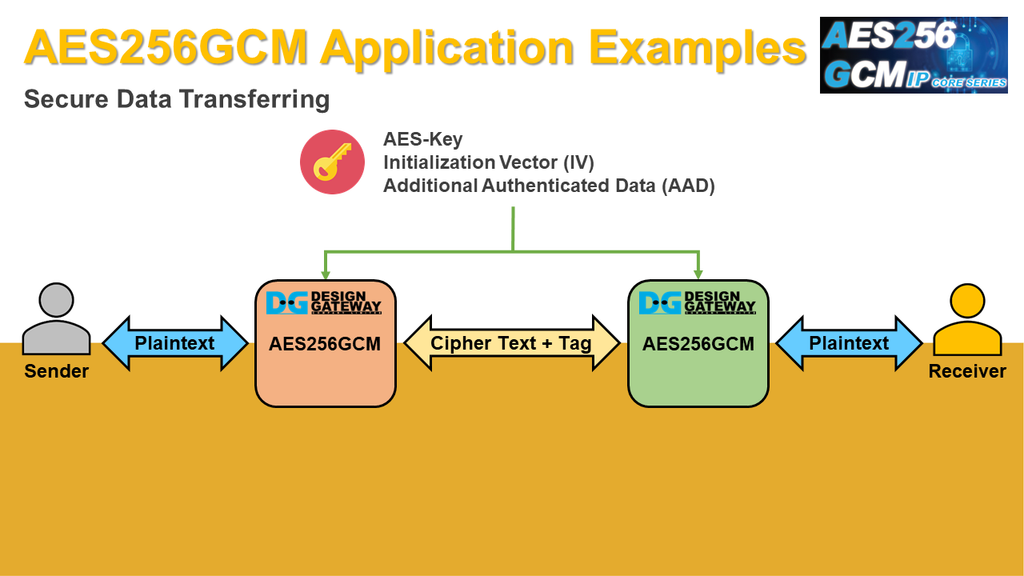
1. Browser Key: Stored within the enrolled browser, where the application can use it but cannot directly read or export it.
2. Server Key: Released only after successful YID approval.
Both are required to unlock the vault. The browser decrypts stored items locally in memory, then clears sensitive material when the vault locks.
Preparing a Recovery Kit
A recovery kit restores access when every enrolled browser becomes unavailable. It contains vault identifiers and a random recovery secret that is never sent to the server. To prepare one:
1. Open the recovery kit section from a working enrolled browser.
2. Approve the request through YID.
3. Download the file and store it somewhere accessible outside that browser.
4. Confirm the saved file within ten minutes to activate it.
Only one kit can be active, so creating a replacement invalidates the previous one. During recovery, users select the file, name the replacement browser, and approve through YID. BioVault then revokes all previous browsers and issues a fresh kit that must be downloaded and confirmed.
Handling Lost or Stolen Devices
The next step depends on which devices remain available:
1. Another enrolled browser still works: Pair a replacement and revoke the missing browser without using a kit.
2. All enrolled browsers are lost: Recover using the kit and YID approval.
3. The YID phone is lost: Register YID on a new phone using your face, then complete recovery.
4. A working phone is being replaced: Use the dedicated transfer flow while the old phone remains available.
Recovery through a new phone leaves the old phone entry in place until explicitly removed. Revocation also cannot undo information already copied from an unlocked vault, so any passwords that may have been exposed should be changed.
Security Limits to Consider
BioVault combines browser-side encryption, face-approved access, and device recovery in a password manager that removes the need for a master password. Yanez makes the security boundaries clear, including the risks of compromised devices and malicious changes to application code.
For Yanez, the alpha release of BioVault provides a practical application of YID beyond identity verification, bringing it into everyday password management. An independent security review and a solution for users who can no longer pass face verification would strengthen the case for broader adoption.
➛ To Access BioVault in Alpha Mode, Send a DM to Yanez; View BioVault’s User Guide Here.
Enjoyed this article? Join our newsletter
Get the latest TAO & Bittensor news straight to your inbox.
We respect your privacy. Unsubscribe anytime.
Enjoyed this article?
Join our newsletter
Get the latest TAO & Bittensor news straight to your inbox — every morning before markets open.


No comments yet — be the first.