

Most AI assistants require users to send their questions to a company’s servers. Gratis AI, introduced by TPN (SN65), brings that processing onto the user’s own device.
The free application lets users download a model and run it locally, keeping conversations on their hardware. It gives TPN’s work on making AI models smaller and more efficient a direct use for everyday users.
What Is Gratis AI?
Gratis AI is a browser and desktop application for running AI models locally. It retrieves models primarily from Hugging Face, then uses the device’s computing resources to generate responses.
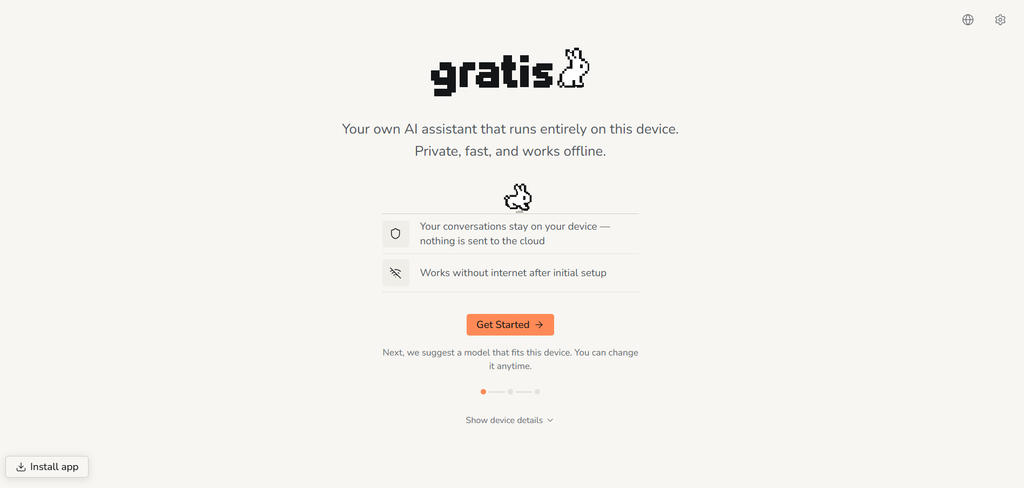
The application is designed to simplify a process that can otherwise involve installing technical tools, comparing model formats, and working out memory requirements.
Its main features include:
1. On-Device Inference: Models generate responses locally after the necessary files have been downloaded.
2. Local Storage: Conversations, attachments, images, and voice data stay on the user’s device, according to the team.
3. Offline Use: Downloaded models can operate without a remote inference service.
4. Free Access: Users do not need a paid subscription to use the application.
Gratis also connects with the work of TPN (SN65). TPN focuses on compressing and optimising AI models so they require fewer resources while preserving their capabilities.
The Core Promise of Gratis
Gratis runs on a very simple operational workflow. Choose a model that fits your device, download it once, and use it without paying for each conversation or waiting for a message allowance to reset.
Gratis requires no account and includes no advertising, analytics, or tracking. Network access is used to retrieve models and receive software updates, while conversations are processed locally.
This approach gives users more control over both their data and their access to AI. A downloaded model remains available without depending on a cloud provider to process each request.
Available memory, processing power, and storage determine which models a device can run and how quickly they respond. Gratis helps users navigate those limits through model recommendations and information about expected performance.
Ways to Access Gratis
Gratis offers two ways to use the application.
1. Browser Version
Users can begin in a supported browser without installing a desktop application. The browser downloads the selected model and runs it locally, with performance depending on the device and browser’s capabilities.
2. Desktop Applications
Native applications support are available for macOS (including Apple Silicon and Intel versions), Windows (in a 64-bit version), and Linux (through an AppImage).
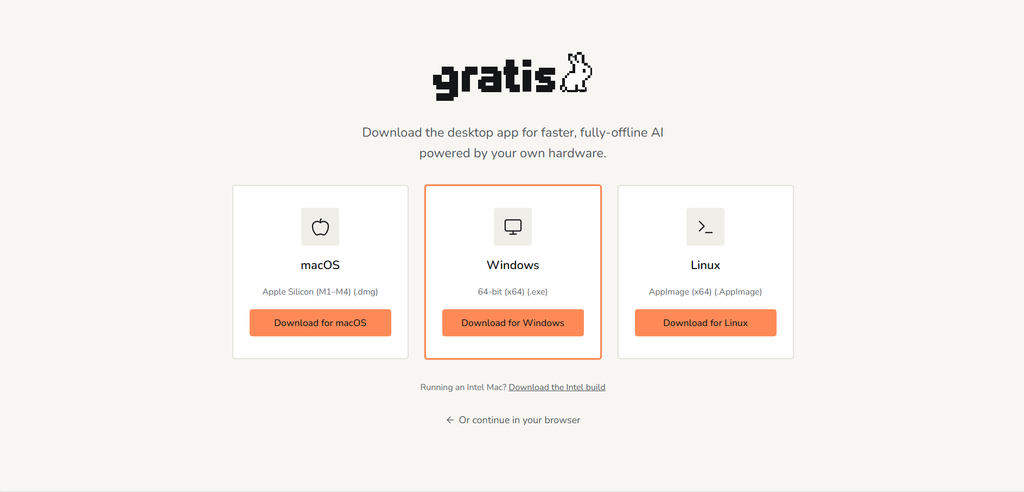
The desktop versions offer another route to local inference, which is presented as the option for greater speed and complete offline operation after setup.
How to Use Gratis
Gratis guides users from checking their device to starting their first conversation.
1. Open the Application: Start with the browser version or download the desktop application for your operating system.
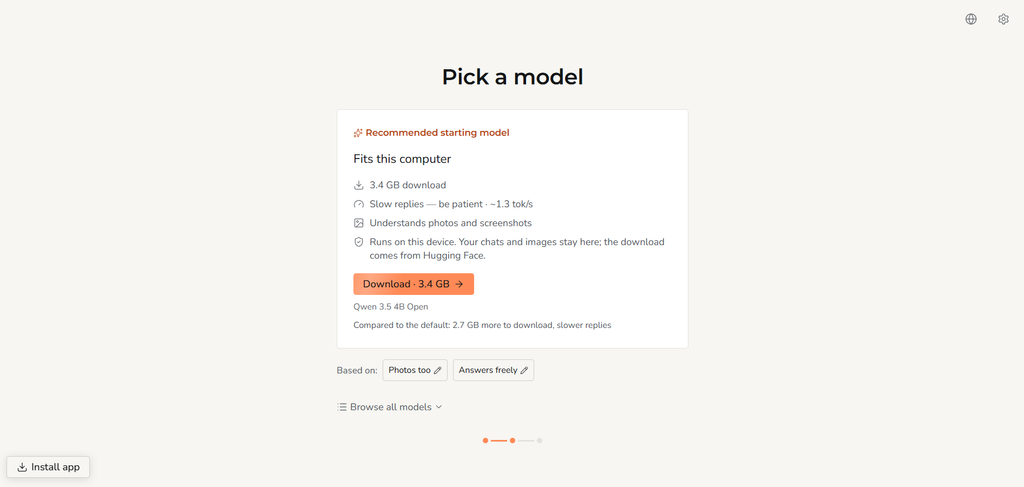
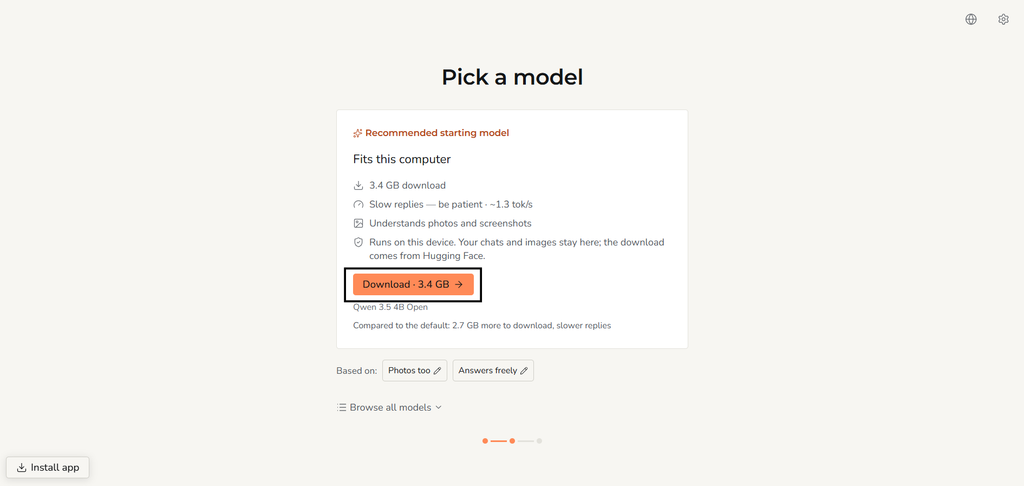
2. Check the Recommended Model: Gratis assesses available hardware resources and suggests a model that fits. Users can accept the recommendation or explore other options.
3. Browse the Catalogue: Models can be filtered by capabilities such as reasoning, multilingual support, image understanding, and handling long documents.
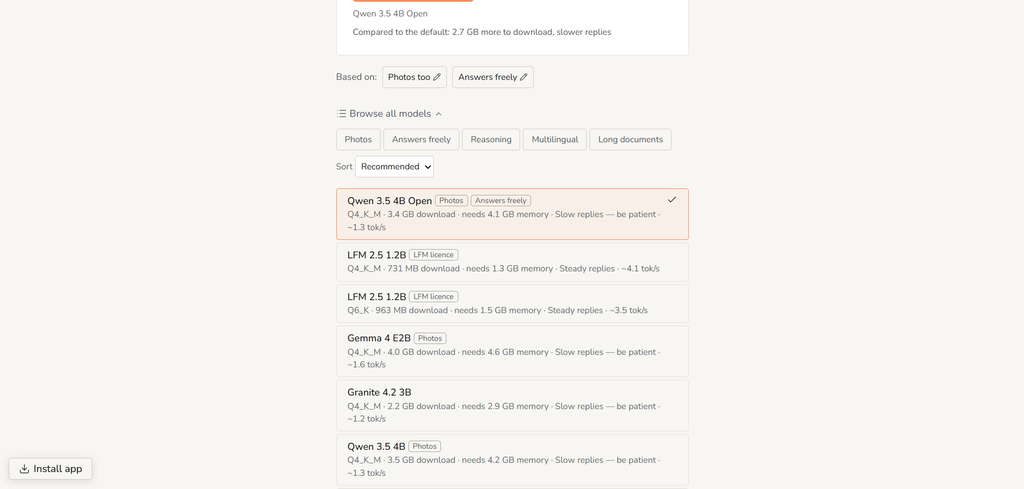
They can also be sorted by suitability, speed, intelligence, or size. Users who want more control can adjust the assumed system memory or load a compatible custom model from Hugging Face.
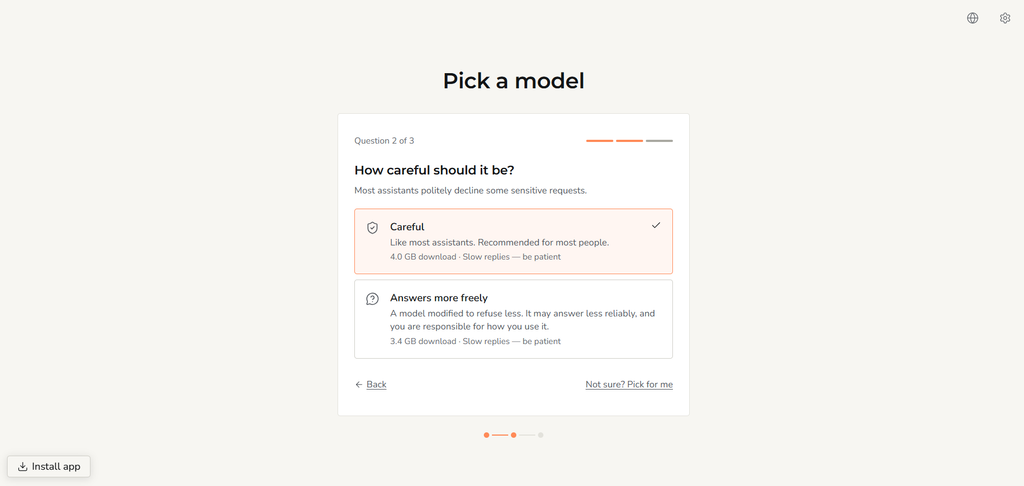
4. Select a Behaviour Profile: The application offers a standard profile that declines certain requests and a freer alternative that refuses less often. The choice affects the assistant’s responses alongside the capabilities of the selected model.
5. Download the Model: Gratis displays information about download size, memory requirements, and expected speed before the model is installed.
6. Begin Chatting Locally: Once the required files are downloaded, the assistant is ready to use. Voice transcription runs through a local speech model, while supported models can also interpret images.
Conversations and other stored data can be removed through settings or by clearing the application’s storage.
Conclusion
Gratis gives TPN’s model optimization work a clear purpose for users. Smaller, more efficient models become useful when people can find, download, and run them without a complicated setup.
By combining model recommendations with local processing and free access, Gratis lowers some of the barriers to using AI on personal hardware.
For users who want private conversations and offline access, it offers a clean starting point.
➛ Access Gratis Here.
Enjoyed this article? Join our newsletter
Get the latest TAO & Bittensor news straight to your inbox.
We respect your privacy. Unsubscribe anytime.
Enjoyed this article?
Join our newsletter
Get the latest TAO & Bittensor news straight to your inbox — every morning before markets open.

No comments yet — be the first.