
MacrocosmosAI has officially opened Train at Home to the public, making it possible for anyone with a Mac to mine on IOTA (SN9).
What Is “Train at Home”?
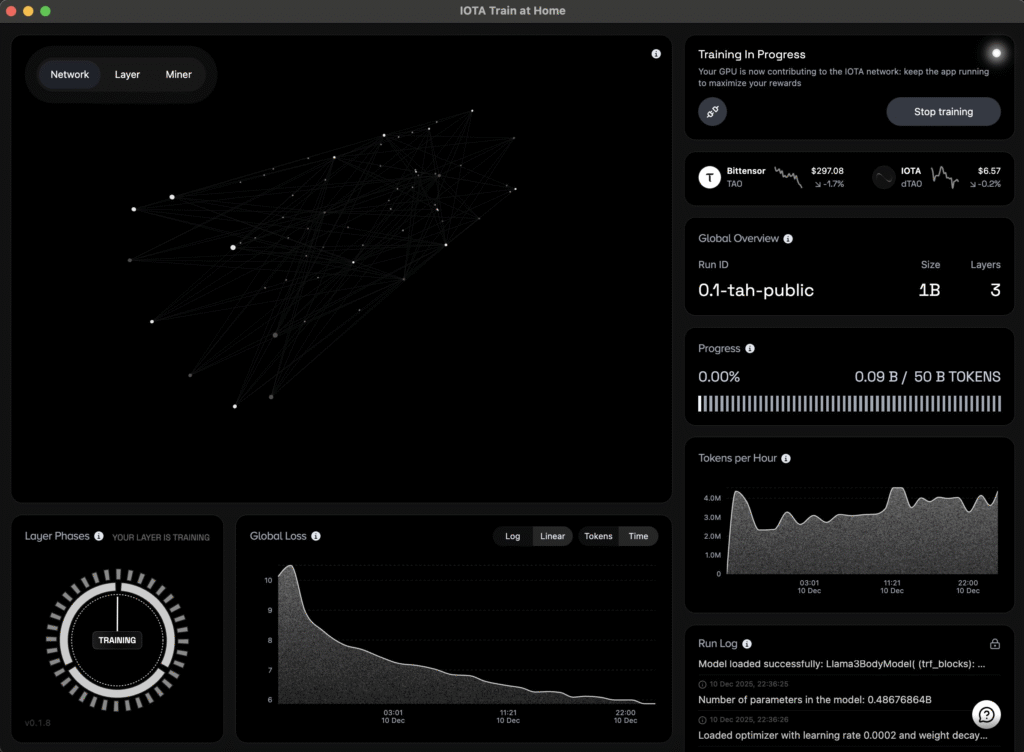
Train at Home is a simple app that lets regular users participate in decentralized model training.
Instead of AI training being dominated by centralized data centers, IOTA turns training into a swarm effort where thousands of people (miners) train models independently and compete based on performance.
Miners:
- train models locally
- upload checkpoints/models to Hugging Face
- commit training metadata on-chain
- get evaluated by validators
Validators score models using perplexity loss, comparing them against others to determine which miners performed best.
The best models earn the most rewards through Yuma Consensus.
Why This Matters
Train at Home lowers the barrier for joining one of the most important parts of the AI revolution: model pretraining.
The pitch is simple:
- anyone can participate
- models stay open-source
- training becomes competitive
- miners earn TAO rewards for performance
MacrocosmosAI describes it as AI training that’s powered by people, not datacenters.
Why You Should Participate
1. It’s beginner-friendly
You don’t need to know machine learning. The app handles most of the process.
2. You can earn TAO
Rewards are performance-based. If your model performs well, you earn emissions. SN9 runs a winner-takes-most structure, where top models can take over 95% of rewards.
3. You contribute to open AI
Everything is built around public training, open checkpoints, and reusable progress. That means miners can build on each other’s work instead of starting from scratch every time.
How to Mine (Step-by-Step)
Step 1: Create a Bittensor Wallet
You’ll need a coldkey + hotkey wallet to receive rewards.
⚠️ Never share your seed phrase.
Step 2: Download the Train at Home App
Download only from the official source: HERE
⚠️ Beware of fake links and scam downloads.
Step 3: Connect Your Wallet
Open the app and link your Bittensor hotkey. This ties your mining work to your wallet so you can earn TAO.
Step 4: Register as a Miner on Subnet 9
To mine, you need a UID on SN9.
This registration is done using your hotkey (via btcli or app flow). You’ll need a small amount of TAO to register.
Step 5: Start Training
Once registered, you can begin mining.
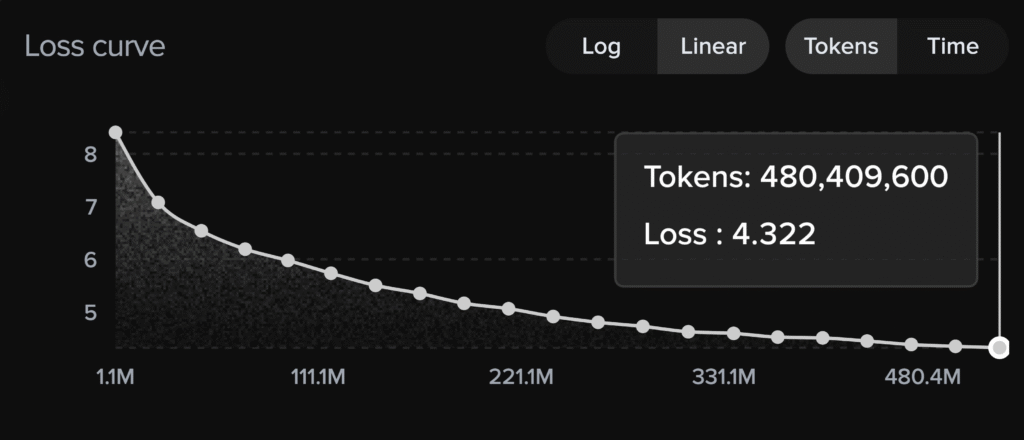
You’ll typically choose:
- model size (example: 700M → 14B parameters)
- dataset
- training configuration
Then Train at Home begins training locally.
Step 6: Upload to Hugging Face
After training, miners upload models/checkpoints to Hugging Face. You’ll need a Hugging Face access token for uploads. Your uploads are then verified using blockchain-committed hashes.
Step 7: Track Your Performance
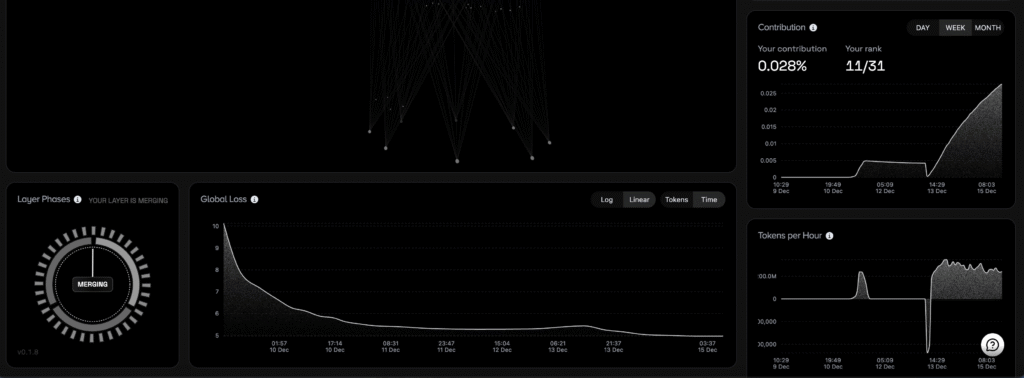
Use the IOTA dashboard to monitor:
- active miners
- training progress
- validator scoring
- your model’s standing
This is where you’ll see if you’re actually competitive.
Quick Tips to Perform Better
- Start small, then scale once you understand the flow
- Join the community Discord for subnet-specific optimizations
Enjoyed this article? Join our newsletter
Get the latest Bittensor & TAO ecosystem news straight to your inbox.
We respect your privacy. Unsubscribe anytime.
Be the first to comment